 CodeCharge Studio
An Ajax service is a program or script that
outputs and provides data to Ajax
features (acting as Ajax clients).
In a standard Web application a Web page retrieves data by submitting user input
to the server and the server rebuilding the full page output with the new set of
data. However, Ajax enabled Web pages rely on JavaScript to communicate with
"Ajax Services" that provide data in the background, without a need to
refresh the regular page. The Ajax service usually obtains data from a database,
therefore it often acts as an additional layer between Web pages and the
database. This approach shifts responsibility of contacting the server to the
Ajax service so that the Ajax enabled page doesn't need to be directly submitted
to the server and refreshed. Certain types of Ajax services also support data
updates, which means that a Web page can submit data to the Ajax service which
in turn will update the database.
Ajax service pages are created using the Ajax Service Builder and
automatically placed in "services" folder. The Ajax service page is a
simplified page that includes the grid component template to output specially
formatted data.
An Ajax service page includes a special hidden attribute that allows it to be
generated without the usual HTML <head> and <body> sections.
Depending on initial configuration, the service can be configured to output data
in 2 common Ajax service formats:
The Ajax services supported by CodeCharge Studio are compatible with external
Ajax libraries and components since they are based on common standards. This
means that external Ajax components should be able to obtain data from your Ajax
Service built with CCS. Likewise, you should be able to use read external Ajax
data within your CodeCharge Studio forms.
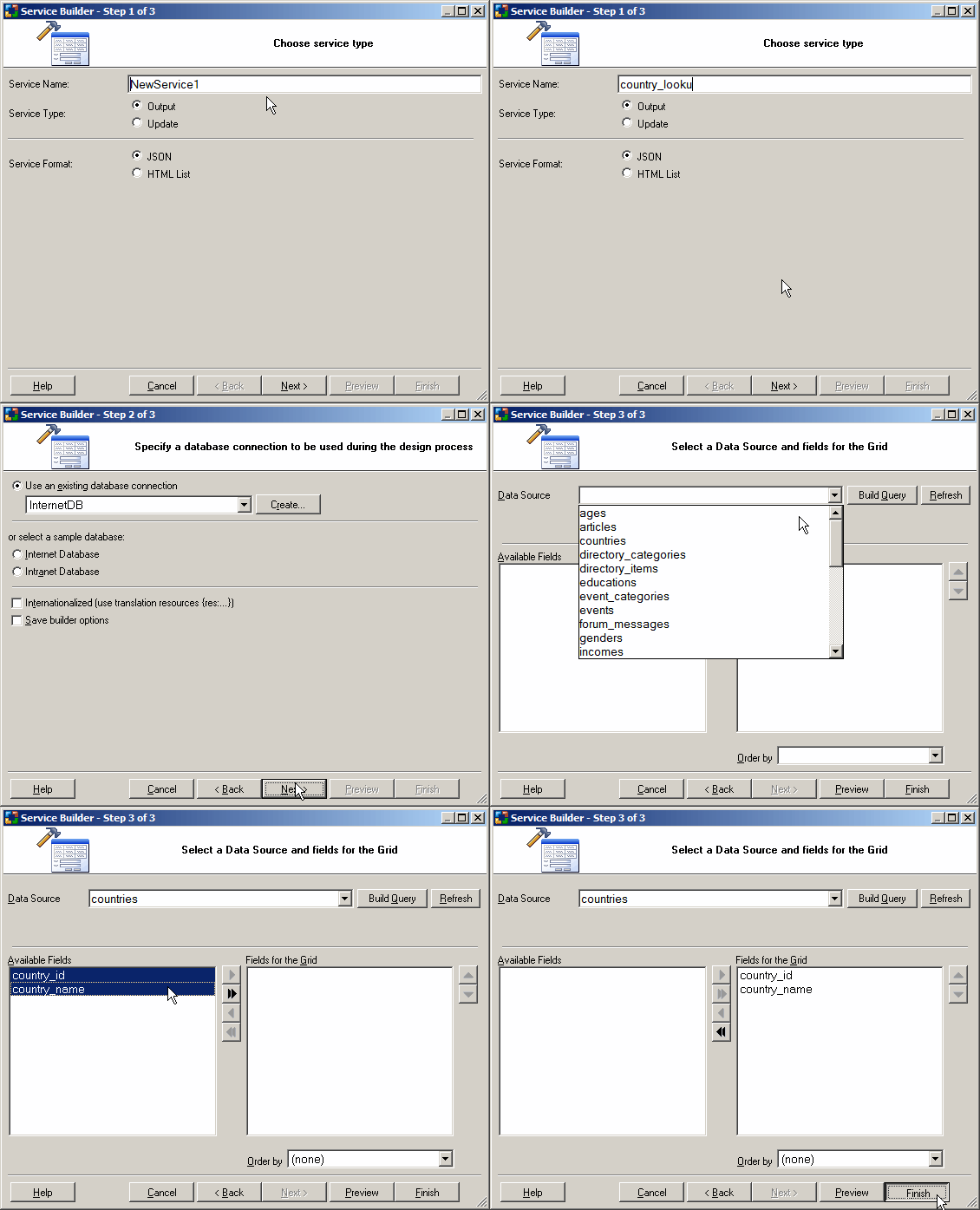
To create a new Ajax service page select the "Service Builder" option from the CodeCharge Studio Toolbox, then follow the steps on the screen by selecting service type, database table and fields to be the basis of your Ajax service.
To modify an existing Ajax service, open the service page then edit the component DataSource and HTML source.