CodeCharge Studio
Web forms and controls can be Ajax enabled by assigning Ajax features to
them. All
CodeCharge Studio forms and components include a property called
"Features", which opens up a pop-up dialog where you can assign Ajax
features.
An Ajax feature often acts as a client to the Ajax service and obtains data from
it, then updates the form or control with the received data. For example the
"Autocomplete" feature will obtain the data from an Ajax service and
prefill the textbox with the data matching user input, all in real-time as
user is typing an entry.
The support for the following Ajax features is included in CodeCharge Studio:
The following YUI features are also supported and documented on YUI Website:
Note: when working with .NET applications based on the InMotion Framework, the following features are converted to ASP.NET Ajax (Atlas).
To assign Ajax features to a component you can either open the
"Features" property of the component you want to Ajax enable, or use
the Ajax Feature Builder.
When opening the "Features" property you will see "features"
dialog listing Ajax features assigned to the current component. Here is a sample
screenshot of features assigned to a textbox component:
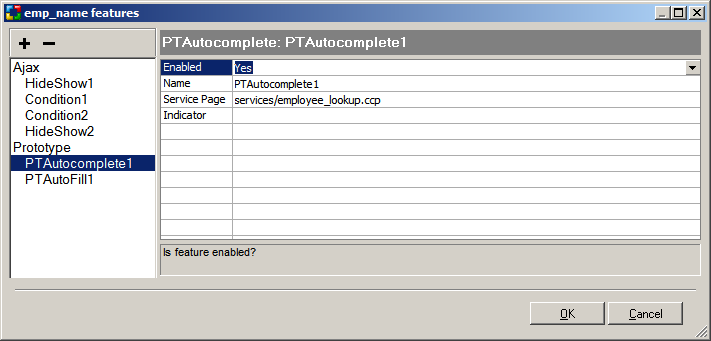
The above examples of features include:
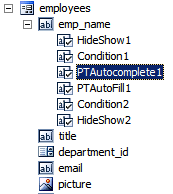
The Ajax features can also be accessed from the Project Explorer, which shows
the list of features assigned to each component.