 CodeCharge Studio
View the Working Page
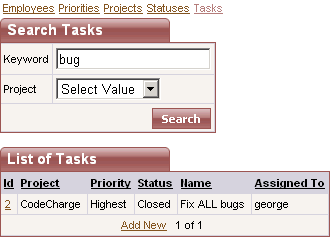
Now your first page is complete. You can search and view the list of tasks as well as sort them, or click on a task to view more details about it.
- On the generated page you can click on a Task Id for any of the tasks to test the Task Maintenance page.
- Click on the Generate Project icon to generate the Project.
Next: Login to the System
On-line, printable versions and updates