 CodeCharge Studio
Specify the Login Page for the Project
Once back in the main CodeCharge Studio screen,
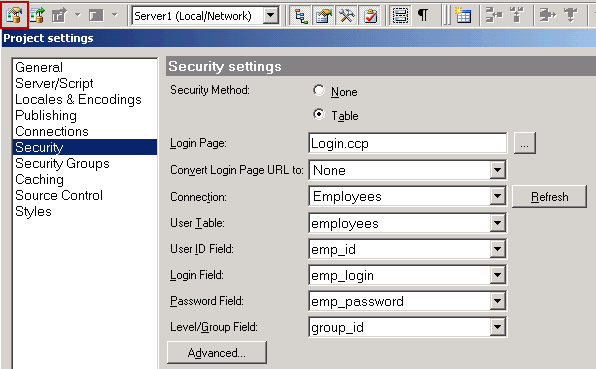
- Use the Project
=> Settings... menu to open the Project Settings dialog.
- Click on the Security tab.
- Click the [...] button for the Login page property.
- Select the Login.ccp page.
Next: Restrict Page Access
On-line, printable versions and updates