 CodeCharge Studio
To create a new project, select the New project option in the screen. This dialog appears each time CodeCharge Studio launches.
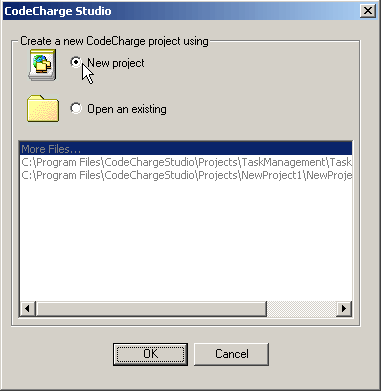
If you are already within CodeCharge Studio, you can create a new project using the menu option File | New | Project. This brings up the Add New Project dialog where you can specify the properties.
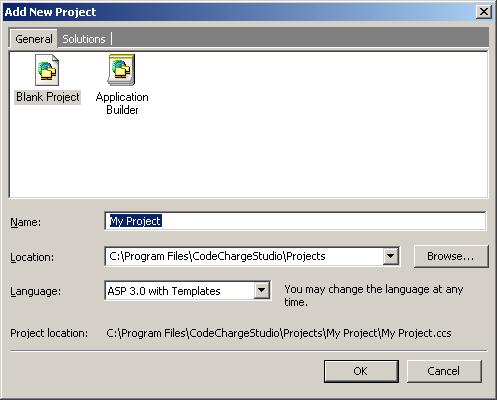
| Property | Description |
|---|---|
| Name | the name of your project, similarly to creating a title of a document. |
| Location | the location/folder where the project should be saved on the disk. |
| Language | the programming language (or technology) for your Web applications. |
Click OK when all the information is entered. CodeCharge Studio will then create and save the new project on the disk within the specified folder. The project file name will be the same as the project name with the extension .ccs. For example, if your project name is My Project then the file name will be named My Project.ccs. The .ccs file stores the global project settings in XML format, which can be viewed or edited with any XML editor.