Description
|
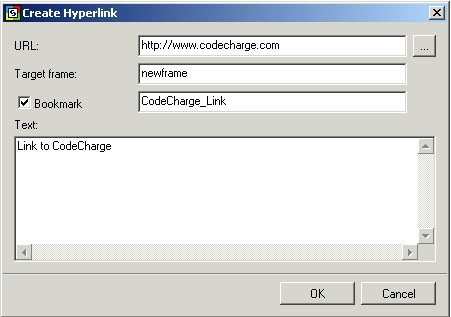
This is a link to another resource:
- URL: Specify the location of the target resource
- Target Frame: If using frames, enter the name of the frame where you want the linked resource to be opened in.
- Bookmark: If you want the link to be a named anchor, enter a unique name to identify it.
- Text: This is the text the user will see and click on.
Note: To see the HTML tags use the special symbols (e.g. < > &), i.e. to display the following link How to use the <Table> tag, you should enter the following: "How to use the <Table> tag" in the Text input.
|

